Is it free?
Yes. Joining the Android beta and using the test app is free.
 BlinkClip
 for Android™

BlinkClip brings simple video processing and batch editing to Android. Apply to help shape the first public release.
Closed Testing is available now. Joining is free and requires an Android device and an eligible Google Account. Join the Google Group first, then opt in through Google Play with the same account. Privacy Policy
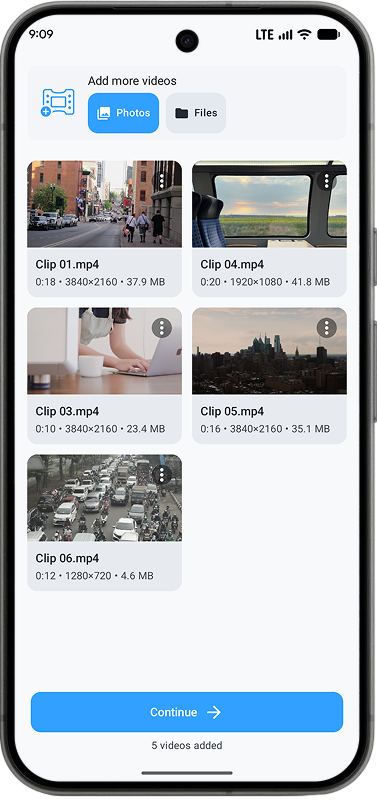
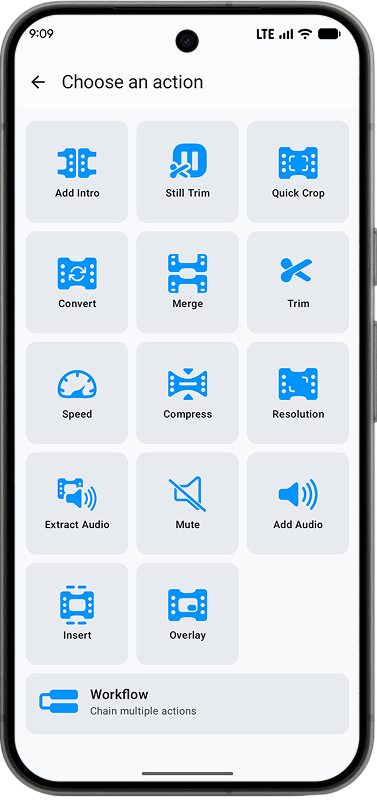
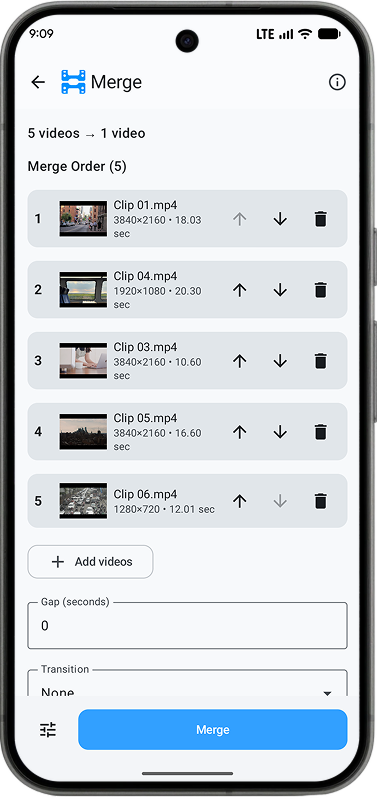
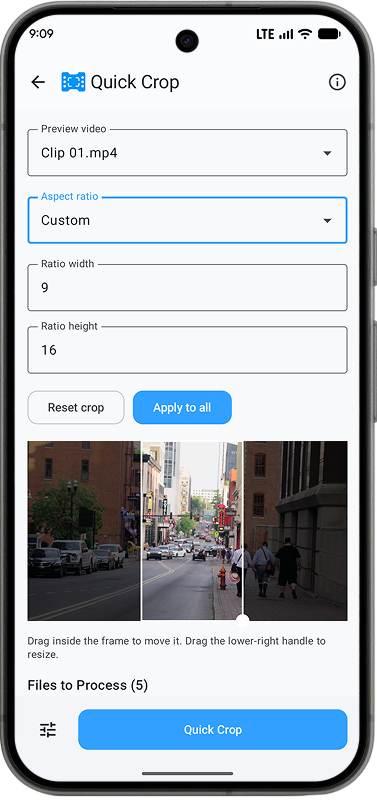
Some video tasks don’t need a timeline. Trim a clip, crop the frame, convert a file, merge videos, or add media with a focused action.
Apply repeated tasks to multiple videos without setting up a traditional editing project. Processing happens locally on your Android device, so your videos stay with you.
Use the same Google Account for each step.
Google Play requires at least 12 opted-in testers for 14 consecutive days before we can apply for production access.
Join the BlinkClip Android beta group (blinkclip-android-beta@googlegroups.com) with the Google Account you use for Google Play. Group membership makes you eligible; it does not opt you into the test.
Join the Google GroupAfter joining the group, open the official Google Play testing link with the same account and choose to become a tester.
Opt in through Google PlayOnce you’ve opted in, install BlinkClip on your Android phone from its Google Play listing.
Install BlinkClip from Google PlayTry real video tasks, check your exports, and send feedback below. Stay opted in through Google Play for at least 14 consecutive days.
Start with a small video task you would normally do on your phone. Check the exported result, too.
Feel free to explore the other features as well. Keep your original files until you’ve checked your exports.
Bug reports, confusing interactions, and device-specific issues are all welcome. Tell us what you tried, what happened, and what you expected. Your phone model and Android version can help us understand the issue.
Opens your email app with a few prompts to get started.
Yes. Joining the Android beta and using the test app is free.
Yes. You need an Android phone with Google Play and an eligible Google Account. Use the same account for the group and Google Play.
No. Video processing happens locally on your Android device.
Google Play requires at least 12 testers opted in continuously for 14 consecutive days before we can apply for production access. Joining the group or submitting the form does not start this period; opting in through Google Play does.
Google Play’s testing requirementsNot yet. This is a closed Android beta. Group membership makes you eligible, but you must also opt in through Google Play before installing.